I Built an AI Agent That Fixes Your AWS Security Issues — Here's Every Technical Decision That Made It Safe
Every AWS account has a graveyard.
A public S3 bucket from a hackathon. An IAM user with AdministratorAccess that was "just temporary." A security group open to 0.0.0.0/0 because debugging was easier that way. An RDS instance publicly accessible because you were in a hurry and it was 11pm.
The security audit you've been meaning to run has been on the backlog for six months.
I built Remedi to fix that. It's an agentic AI system that scans your AWS account across 8 services, generates a structured findings report, waits for your approval, then automatically remediates every vulnerability it found. A verification pass confirms the fixes held.
A full scan costs $0.02 and takes under 5 minutes.
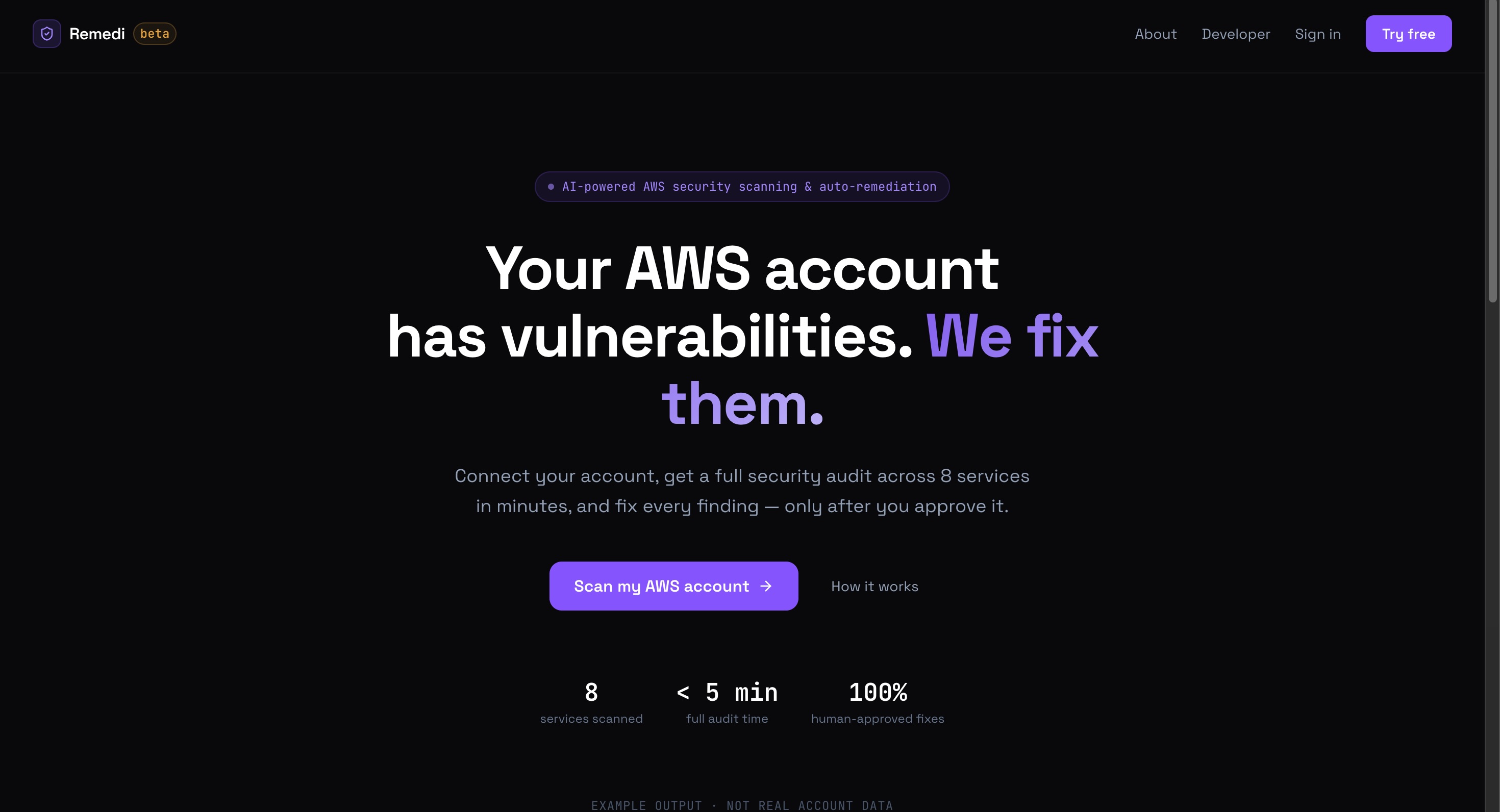
This post is a deep dive into every architectural decision that made this trustworthy — not just technically functional. There's one insight in particular I think every engineer building AI agents needs to hear.
Why "Just Let the AI Fix It" Is a Terrible Idea
My first instinct was the obvious one: AI scans → AI decides → AI fixes → done.
Here's why I didn't build that.
AWS changes are irreversible in practice. You can delete a security group rule — but you lose the context for why it existed. You can revoke an IAM policy — but you won't know what broke until 3am. You can block public access on an S3 bucket — but if your CDN was reading from it, your site just went dark.
LLMs hallucinate. Not always. Not obviously. But enough. An LLM making autonomous decisions about which AWS resources to modify will eventually make a confident, catastrophic mistake.
Correct AI decisions can still be wrong for your org. That IAM user with AdministratorAccess? Maybe it's your CEO's personal account. The AI doesn't know that. You do.
So I built a hard stop into the middle of the pipeline. The AI scans and plans. A human approves. Then — and only then — the AI acts.
The Pipeline: 5 Stages, One Mandatory Human Gate
Remedi is a LangGraph state machine. Five nodes, one direction, no skipping:
Orchestrator → Report Generator → Safety Gate → Remediator → Verifier
The full stack, layer by layer:
| Layer | What it does |
|---|---|
frontend/ |
Next.js 15 dashboard — streams scan output, shows findings, sends approval |
server.py |
FastAPI — Clerk JWT auth, Fernet encryption, spawns the agent as a subprocess |
main.py |
LangGraph pipeline — orchestrator, report generator, safety gate, remediator, verifier |
mcp_server/main.py |
MCP server — all boto3 AWS calls, connected via JSON-RPC over stdio |
Orchestrator — 8 specialist sub-agents fire in parallel via ThreadPoolExecutor, one per AWS service. Each has its own LLM call loop, dedicated tool set, and structured output format. Results merge into one combined findings message.
Report Generator — Converts raw findings into a structured remediation plan. Severity levels, resource names, explicit action markers. This is not a summary — it's a machine-readable contract for the next stage.
Safety Gate — Prints the full report. Stops. Waits for human approval. In CLI mode this is input(). In server mode, the dashboard sends a POST /api/approve that writes "approve\n" to the subprocess stdin. Nothing touches AWS until this unblocks.
Remediator — Parses the approved report, builds a task list, runs all fixes in parallel. Critically: no LLM call here. Pure regex parsing. I'll come back to why.
Verifier — Re-audits only the resources that were touched. Confirms fixes held. If the remediator failed, it exits immediately rather than producing a misleading clean bill of health.
The Most Important Design Decision: No LLM in the Remediator
This took the longest to figure out and I think it's the most important thing in this post.
The original design: findings → LLM → tool call → AWS. The LLM decides what to do.
The problem: you've put a probabilistic system in the decision path for irreversible actions. Even with human approval on the overall plan, the LLM can still misread a finding, target the wrong resource, or hallucinate a parameter. Human approval becomes theater.
My solution was to make the report generator produce a strict, machine-parseable format, and make the remediator a deterministic parser rather than an LLM consumer.
Every actionable finding must come out of the report generator in exactly this shape:
🔴 [CRITICAL] <resource> is vulnerable -> ACTION: I will call `tool_name`
The remediator regex-parses that line. Looks up tool_name in an INTENT_MAP that handles a dozen aliases for the same underlying action. Calls the tool directly.
What you lose: flexibility. New vulnerability types require updating both the prompt and the parser together.
What you gain: determinism. When you approve the report, you are approving the exact tool calls that will run. No LLM interpretation step between your click and the AWS API.
That's what makes the human gate real. Approval has to mean something specific, or it means nothing.
The Dashboard: What You Actually See
After connecting your AWS account, you get a live security overview across all 8 services.
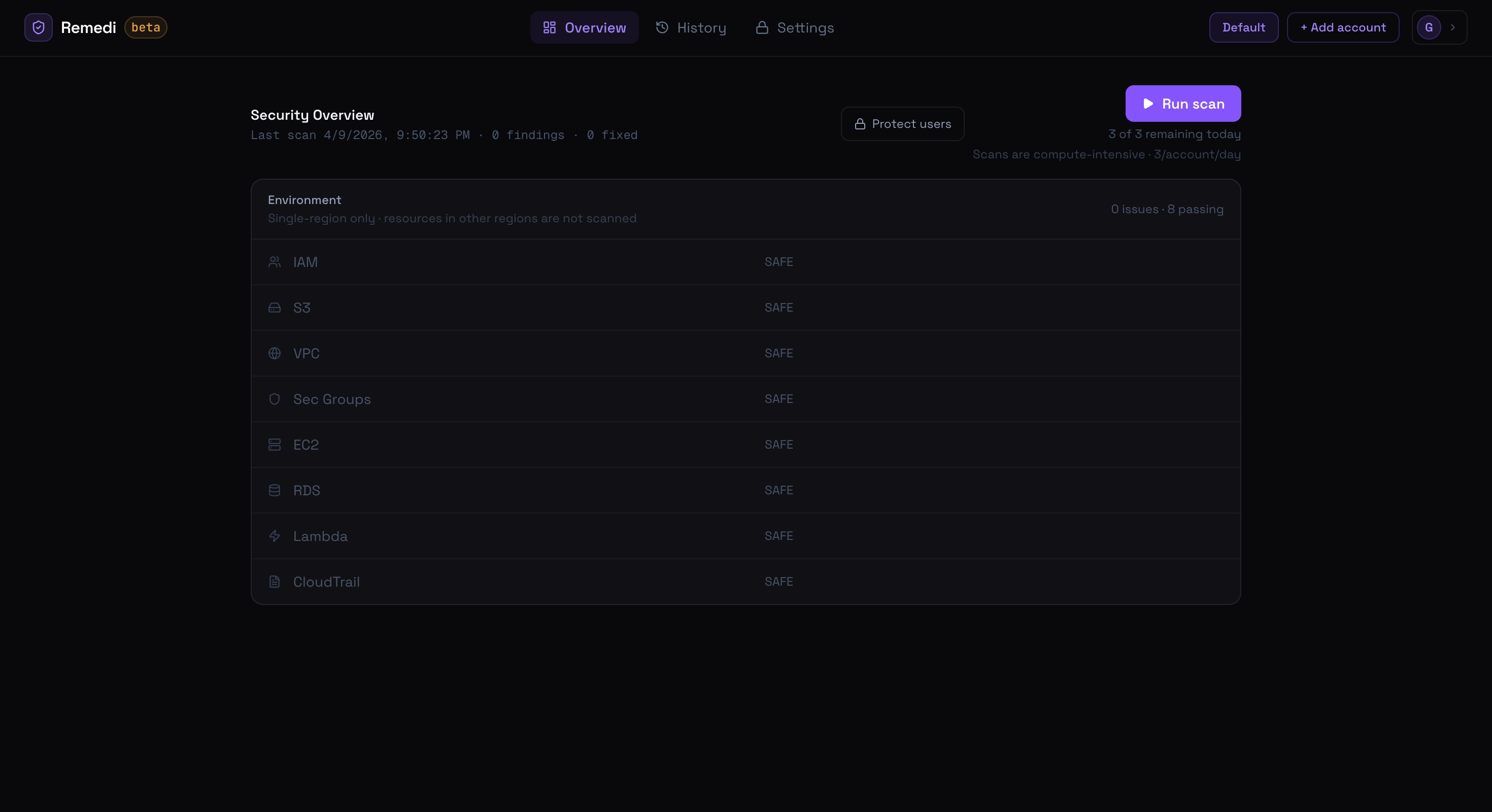
The scan streams results in real time. Each service reports back as its specialist agent finishes — you're not waiting for all 8 to complete before seeing anything. The frontend reads a StreamingResponse line by line and switches on event prefixes:
| Prefix | Meaning |
|---|---|
[SCAN] |
JSON event from a specialist agent (updates the service cards live) |
[ACTION_REQUIRED] |
Safety gate reached — approval button appears |
[EXEC] |
Remediator executing a fix |
✅ |
Fix confirmed |
❌ |
Fix failed |
No WebSockets. No polling. The agent writes to stdout, the server reads and yields it, the browser reads the body stream. Simple enough to debug when a scan stalls mid-stream.
Real Results
After running multiple scans against a deliberately vulnerable Terraform test environment (8 misconfigured resources), here's what the history tab looks like:
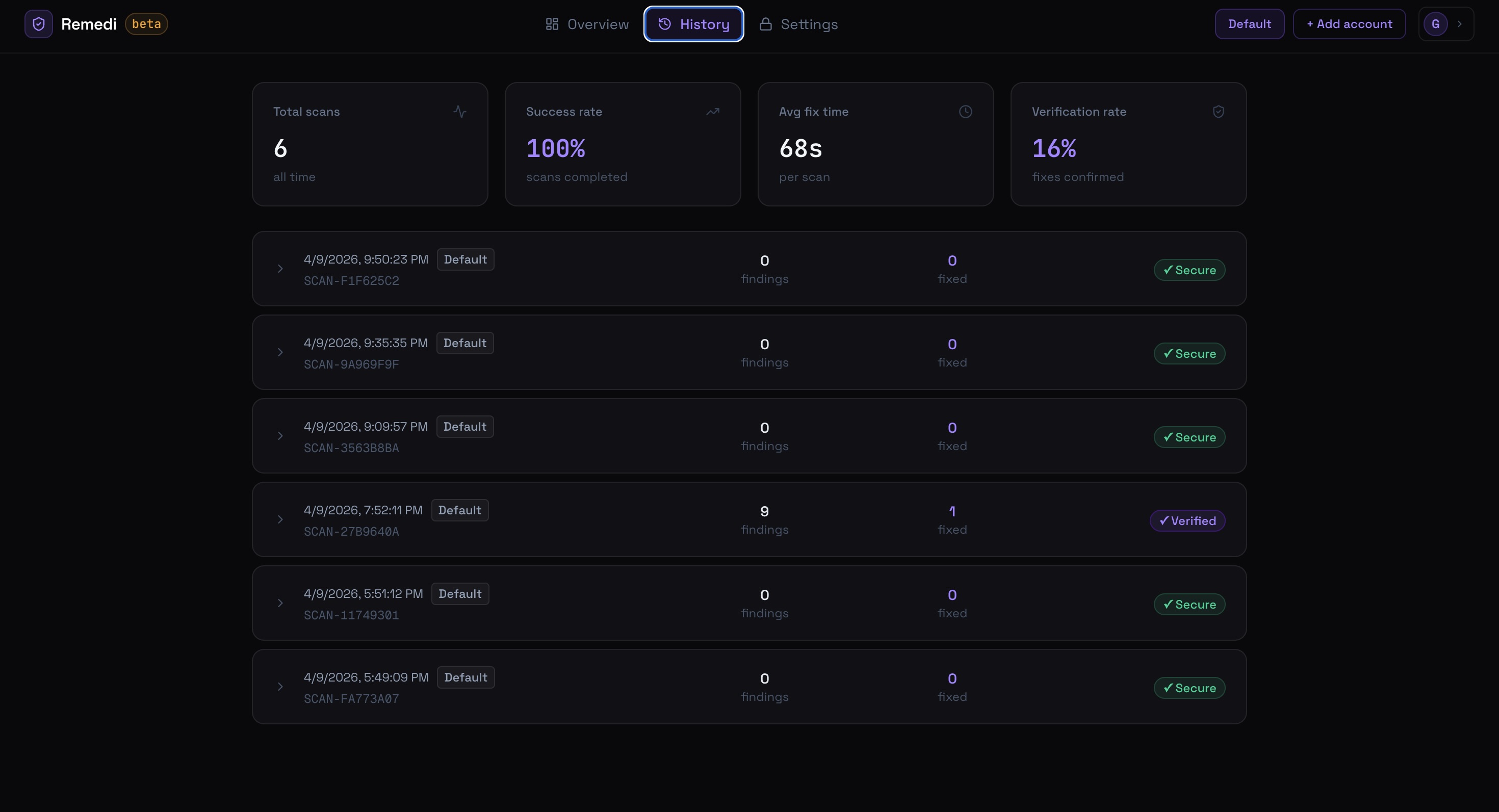
100% success rate. 68 seconds average fix time per scan. Every finding verified after remediation.
The test environment provisions exactly the vulnerabilities Remedi targets:
EC2 with IMDSv2 disabled (SSRF credential theft vector)
S3 bucket with public access enabled
Security group with
0.0.0.0/0on port 22RDS instance publicly accessible
IAM user with
AdministratorAccessCloudTrail logging disabled
VPC with no flow logs
Lambda with an overpermissioned execution role
terraform apply → run scan → approve → verify all 8 fixed → terraform destroy. That's the integration test loop for every non-trivial code change.
The MCP Async/Sync Bridge Problem
All boto3 calls live in a separate process — mcp_server/main.py — connected via JSON-RPC over stdio (the Model Context Protocol). The agent talks to it through mcp_client.py.
The problem: LangGraph's ToolNode is synchronous. The MCP client is async. You can't call await inside a sync function.
The fix:
_loop = asyncio.new_event_loop()
threading.Thread(target=_loop.run_forever, daemon=True).start()

def _run(coro):
    return asyncio.run_coroutine_threadsafe(coro, _loop).result()
A background asyncio event loop runs in a daemon thread. Every sync tool wrapper submits its coroutine to that loop and blocks until the result comes back. LangGraph sees a normal synchronous call.
One hard constraint this creates: no concurrent tool calls. The MCP server has a single stdio pipe. Two simultaneous JSON-RPC messages corrupt the stream. The parallelism in the orchestrator is at the HTTP level — 8 simultaneous Gemini requests — not at the tool level. Each sub-agent calls tools sequentially within its own loop.
Nothing in the code enforces this. It has to live in the docs and in your head.
Credential Security: Three Independent Expiry Mechanisms
Remedi is multi-tenant. Multiple users, multiple AWS accounts. Credential storage is not optional security hygiene — it's the foundation.
Fernet encryption at rest. Access and secret keys are encrypted before hitting PostgreSQL. The encryption key is an environment variable. Database compromise alone gets you ciphertext.
30-minute inactivity purge. Every credential read updates last_used_at. A background thread runs purge_expired_credentials() every 5 minutes and deletes rows where last_used_at < NOW() - INTERVAL '30 minutes'. Idle credentials don't persist.
Explicit delete on sign-out. The frontend calls DELETE /api/accounts before completing Clerk sign-out. Credentials are wiped immediately, not left to decay.
One more thing: the IAM user whose keys are in use is auto-detected via STS get_caller_identity and added to PROTECTED_IAM_USERS at scan start. The agent can never remediate itself. Without this, scanning an account with an overprivileged IAM user could revoke its own access mid-run.
Testing Strategy: What You Can and Can't Unit Test
The agent pipeline is too entangled with LLM outputs and live AWS responses to unit test meaningfully. End-to-end against the Terraform environment is the only test that tells you something true about the pipeline.
But the components underneath the pipeline are different. I have 25 tests, no external services:
8 tests for the remediator's regex parser — the single point of failure between human approval and AWS action. Edge cases: multi-finding reports, resource names with dots and hyphens, empty strings, manual-review lines that shouldn't be parsed.
4 tests for Fernet encryption — round-trips, wrong key, missing key.
13 tests for the boto3 remediation functions running against moto — an in-memory AWS mock. Real production code. Fake AWS.
The split is deliberate: unit tests for deterministic components, Terraform end-to-end for non-deterministic ones.
What It Costs
$0.02 per full scan. 8 parallel sub-agents, report generation, verification pass.
The token optimization that gets it there: each pipeline stage receives only the summary output of the previous stage, not the full conversation history. The orchestrator's raw tool-call history never reaches the report generator. The report generator's output never reaches the verifier in full — only the list of resources that were remediated. No stage pays for tokens from two stages back.
The One Thing
Make human approval mean something.
It's easy to build a "human in the loop" that's actually theater. You show a summary, the user clicks approve, the AI does whatever it was going to do anyway. The approval changes nothing about what runs.
Real human-in-the-loop means: the AI cannot take an irreversible action without sign-off on the exact operations that will execute. Not a vague description. The exact tool, the exact resource, the exact parameters.
In Remedi, the report format enforces this. It's not a summary — it's a specification. When you read I will call \revoke_s3_public_access` on bucket prod-assets` and hit approve, that exact call runs. Nothing else.
Build it any other way and you're not building a safe AI agent. You're building an agent with a "proceed" button.
Source: github.com/glenlouis8/remedi
Live: remedi-kohl-seven.vercel.app — connect an AWS account, run a scan. The CloudFormation template in cloudformation/remedi-agent.yaml creates a least-privilege IAM user with exactly the permissions Remedi needs. Deploy it, copy the keys, delete the stack when done.
About the Author
Marian Glen Louis — software engineer based in Buffalo, NY. Building at the intersection of AI and cloud infrastructure.
Portfolio: glen-louis.vercel.app
GitHub: github.com/glenlouis08
LinkedIn: linkedin.com/in/marian-glen-louis
Email: glen.louis08@gmail.com